
Download Runware – Fast, Affordable AI Image Generation Tool
Overview
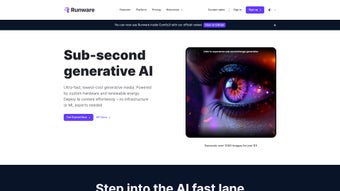
Runware is a cloud‑native AI image‑generation platform that combines speed, affordability, and sustainability into a single developer‑friendly service. Powered by the proprietary Sonic Inference Engine, Runware can render high‑resolution visuals up to three times faster than typical GPU‑based cloud offerings, making it ideal for real‑time applications such as design editors, marketing dashboards, and automated content pipelines. Because all heavy computation is performed in the cloud, users never need to own a dedicated GPU or manage complex machine‑learning frameworks.
Instead, they interact with a clean RESTful API and optional WebSocket streams that deliver progress updates instantly. The platform runs on renewable‑energy powered data centers, reducing the carbon footprint of every generated image—a compelling benefit for companies with green‑tech mandates. Runware’s pricing follows a transparent pay‑as‑you‑go model, with a generous free tier that lets new users generate up to 500 images per month without a credit‑card.
Whether you are a startup looking to prototype visual assets, a marketing team needing on‑the‑fly graphics, or an enterprise seeking to embed AI‑generated media at scale, Runware offers a flexible model library, robust SDKs, and built‑in autoscaling that keep performance consistent even during traffic spikes. In short, Runware delivers a fast, cost‑effective, and environmentally responsible solution for anyone who wants to turn text prompts into stunning visuals without the operational overhead of traditional ML pipelines.
Features, Installation & Compatibility
Core Feature Set
- Sonic Inference Engine: Accelerated diffusion and GAN processing that delivers up to 3× faster rendering compared with generic cloud GPUs.
- Renewable‑Energy Infrastructure: All compute nodes run on green power, helping you meet sustainability goals.
- API‑First Architecture: Simple REST endpoints plus optional WebSocket streams for real‑time feedback.
- Auto‑Scaling & Redundancy: Automatic resource provisioning and failover keep latency low even during demand spikes.
- Broad Model Library: Includes Stable Diffusion, custom GANs, and stylization models ready for plug‑and‑play.
- Multi‑Language SDKs: Python, JavaScript, Java, and .NET client libraries accelerate integration.
- Cost‑Effective Pay‑As‑You‑Go Pricing: Transparent usage‑based rates with a free tier for early testing.
- Secure Data Handling: TLS 1.3 encryption, temporary storage, and GDPR‑compliant data processing.
Getting Started – No Local Installation Required
Runware is delivered entirely as a SaaS service, so there is no traditional installer. To begin, sign up for a free account, verify your email, and retrieve an API key from the dashboard. The key authenticates every request you make. A typical first‑call looks like this:
curl -X POST https://api.runware.com/v1/generate \
     -H "Authorization: Bearer YOUR_API_KEY" \
     -H "Content-Type: application/json" \
     -d '{"prompt":"a futuristic city at sunrise","model":"stable-diffusion-v2","width":1024,"height":768}'
The response contains a JSON payload with a url field pointing to the generated PNG. For interactive scenarios, open a WebSocket connection to wss://api.runware.com/v1/stream and listen for progress events, which are useful for live‑preview editors.
Cross‑Platform Compatibility
Because Runware’s interface is purely HTTP/HTTPS, it works on any operating system that can make web requests. Whether you run Windows 10/11, macOS Ventura, a Linux distribution (Ubuntu, CentOS, etc.), or mobile platforms such as Android and iOS, the same API endpoints apply. The official SDKs are packaged for each major environment:
- Python 3.8+ –
pip install runware-sdk - Node.js 14+ –
npm install runware-sdk - Java 11+ – Maven/Gradle artifacts on Maven Central
- .NET 6+ – NuGet package
Runware.SDK
Since all processing occurs in the cloud, you can run these clients on low‑spec laptops, CI/CD runners, or headless servers without worrying about GPU availability.
Pros, Cons & Frequently Asked Questions
Pros and Cons
- Pros
- Lightning‑fast generation thanks to the Sonic Inference Engine.
- Transparent, usage‑based pricing with a free tier.
- No need for on‑premise GPUs or ML expertise.
- Eco‑friendly, renewable‑energy powered infrastructure.
- Robust API with optional WebSocket support.
- Comprehensive SDKs reduce integration time.
- Auto‑scaling and built‑in redundancy guarantee high availability.
- Wide model library enables diverse artistic styles.
- Cons
- No on‑premise or hybrid deployment for strict data‑residency requirements.
- Deep model hyper‑parameter tweaking is limited to higher‑tier plans.
- Heavy batch workloads can still generate noticeable costs.
- Missing native UI for non‑technical users; a separate front‑end is required.
- Documentation could benefit from more real‑world case studies and benchmark data.
FAQ
Is there a completely free version of Runware?
Runware offers a 14‑day free trial with a quota of 500 images. You must provide payment details to start the trial, but you won’t be charged unless you exceed the free quota.
Can I use Runware from a mobile app?
Yes. The API works over standard HTTPS, so any mobile platform (Android, iOS, React Native, Flutter) can call Runware directly or through the provided SDKs.
How does Runware protect my data and generated images?
All traffic is encrypted with TLS 1.3. Images are stored temporarily and automatically deleted after 24 hours unless you request longer retention. Runware is GDPR‑compliant and offers Data Processing Agreements on request.
Which output formats does Runware support?
PNG, JPEG, and WebP are available. The desired format is set via the output_format field in the request payload, and you can also control compression levels for JPEG/WebP.
Does Runware provide usage analytics or reporting?
Yes. The dashboard shows real‑time charts for request volume, latency, and cost. Detailed logs are accessible via the /v1/usage endpoint for integration with external monitoring tools.
Conclusion & Call to Action
Runware lives up to its promise of delivering fast, affordable, and environmentally conscious AI image generation. By handling all heavy lifting in a renewable‑energy powered cloud, it frees developers and designers to focus on creativity rather than infrastructure. The transparent pay‑as‑you‑go pricing, robust SDKs, and auto‑scaling architecture make it a solid choice for both startups and enterprise teams. If you’re ready to add AI‑generated visuals to your product, marketing workflow, or internal tools, download Runware today and start creating stunning images from simple text prompts within seconds.
Pros: Speed, cost‑effectiveness, sustainability, API flexibility, extensive SDKs.
Cons: No on‑premise deployment, limited deep model tuning for lower tiers.



.png)



